Finish the thought.
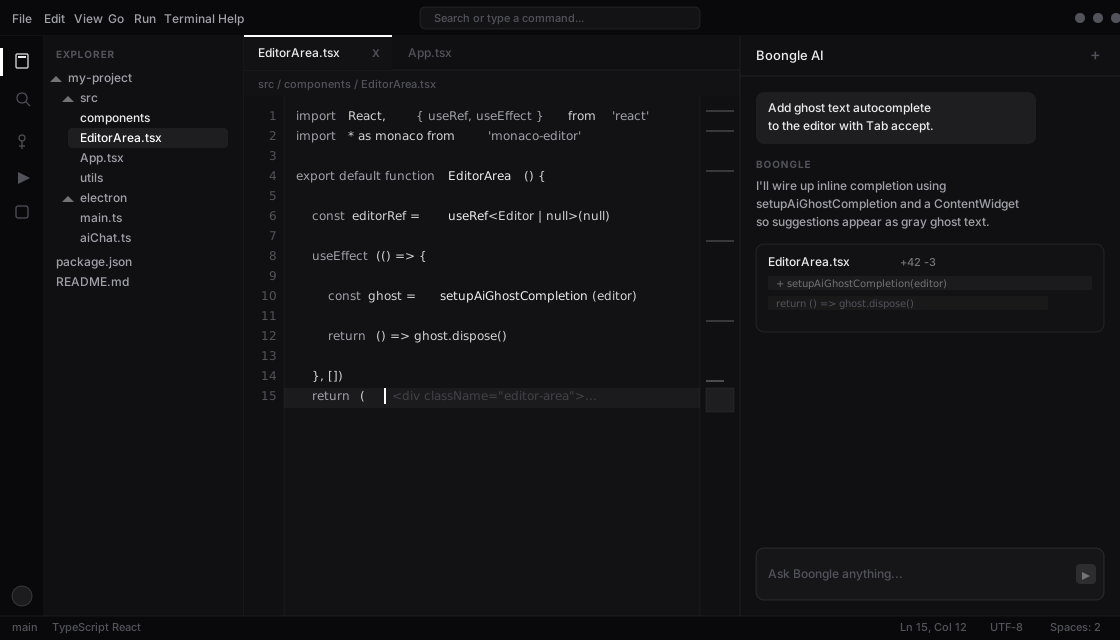
Ghost-text completions meet you as you type. Accept with Tab and stay in flow.
 Boongle
Download
Boongle
Download
v0.2.0 is live
New: Boongle 1.8 ProBoongle puts completions, parallel agents, and reviewable diffs in one focused workspace. You make the calls. The agents move the work.
The thesis
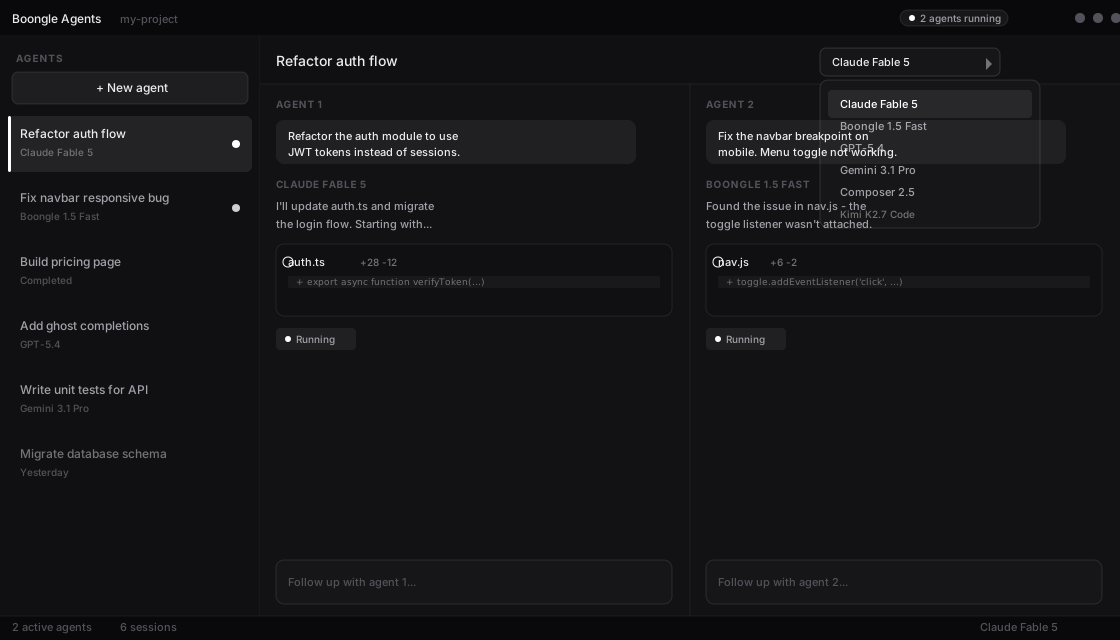
Launch focused agents for separate tasks, keep each conversation visible, and only accept the changes that earn their place.
Inside Boongle
Not a chat box taped onto an editor. A complete coding environment where agents can explore, edit, run tools, and show their work.
Ghost-text completions meet you as you type. Accept with Tab and stay in flow.
Run parallel agent sessions, assign each a job, and move between them without losing context.
Every agent edit arrives as an inline diff. Review it, accept it, or send it back.
Three moves
Your file tree, terminal, editor, and local context are ready where you expect them.
Give each agent a focused task and choose the model that fits the job.
Inspect inline diffs, keep what works, and ship on your terms.
Your machine, your call
Boongle works with project files on your machine and asks you to review changes before they land. Agent safety settings can also require confirmation before sensitive files are edited or terminal commands run.
Read the release notesModel choice
Switch models by task. Use Auto for everyday edits or choose a specialist for deeper reasoning and larger refactors. See BoongleBench scores
Good to know
Yes. The Free plan includes the full editor with limited usage and limited Tab completions.
See the full breakdown on our pricing page — Free, Pro, Pro+, Ultra, Max, and custom Teams plans.
Yes. Every plan includes the full Boongle IDE editor. Paid plans increase usage limits, Tab completions, model access, and collaboration options.
Auto and Boongle Grok 4.7 draw from your plan's first-party usage pool. Frontier API models use included API credit on paid plans. Usage resets each billing cycle.
BoongleBase is managed storage for project data and agent workflows. Ultra includes 10 GB; Max includes 50 GB. Teams plans can be tailored to your needs.
Boongle currently lists Windows and macOS. The current macOS download is for Apple Silicon.
Your project files stay on your machine. You can review agent edits as inline diffs before accepting them.
Yes. The agent dashboard supports parallel sessions, a chat list, and a split view for concurrent work.
Boongle includes Auto, Boongle 1.8 Flash, Boongle 1.8 Pro (Pro+ & Ultra), Grok 4.7, and frontier API models such as Claude and Gemini. Pick per task from the model picker in chat and inline edit.
Pro+ and Ultra include team collaboration features. For larger orgs, the Teams plan offers custom usage, completions, and BoongleBase — contact us on Discord.
Choose a plan on the pricing page and continue to checkout. Billing integration is rolling out gradually; some upgrades may still go through beta review.
Installers currently require an unlock code issued with beta access or early releases. Apply on the beta page if you do not have one yet.
Your next build starts here
Download Boongle IDE for free on Windows or macOS. Upgrade anytime when you need more usage.